Backend Development: Servers, APIs, and Databases

Backend Development: Servers, APIs, and Databases

While frontend handles what users see, backend powers what they don’t see—servers processing requests, databases storing data, APIs connecting everything. Backend development ensures applications function correctly, securely, and at scale. Understanding backend fundamentals is essential for full-stack perspective.

Backend Development: Servers, APIs, and Databases

Backend Development: Servers, APIs, and Databases

Servers receive HTTP requests from clients (browsers, mobile apps) and return responses. They run continuously, listening on ports, handling multiple connections simultaneously. Servers can be physical machines, virtual instances, or serverless functions. Popular server environments include Node.js, Python with Django/Flask, Ruby on Rails, PHP with Laravel, Java with Spring.

APIs (Application Programming Interfaces) define how clients interact with servers. REST (Representational State Transfer) dominates: resources identified by URLs, HTTP methods indicate operations (GET retrieve, POST create, PUT update, DELETE remove). Data typically exchanged as JSON (JavaScript Object Notation), lightweight and language-independent.

GraphQL offers alternative to REST. Clients specify exactly what data they need in single request, reducing over-fetching and under-fetching. Single endpoint handles all queries. Schema defines available data types and relationships. GraphQL particularly valuable for complex applications with multiple data requirements.

Authentication verifies user identity. Common approaches: session-based (server stores session data, client sends cookie), token-based (client sends JWT—JSON Web Token—containing encoded user information), OAuth (delegated authorization via Google, GitHub, etc.). Proper authentication prevents unauthorized access.

Authorization determines what authenticated users can do. Role-based access control assigns permissions to roles (admin, editor, viewer). Attribute-based access control considers user attributes, resource attributes, and environment. Implementing proper authorization prevents privilege escalation.

Databases store and retrieve application data. Relational databases (PostgreSQL, MySQL, SQLite) organize data in tables with relationships, using SQL for queries. They ensure data integrity through schemas, transactions, constraints. Ideal for structured data with clear relationships.

NoSQL databases offer flexibility. MongoDB stores documents (JSON-like), ideal for unstructured or evolving data. Redis operates in-memory for caching and real-time applications. Cassandra handles massive scale across distributed systems. Choice depends on data structure and access patterns.

Database queries retrieve specific data. SQL: SELECT * FROM users WHERE age > 18. ORMs (Object-Relational Mappers) like Sequelize (Node), SQLAlchemy (Python), ActiveRecord (Rails) let developers work with database objects using programming language instead of raw SQL. ORMs increase productivity but can obscure database operations.

Caching improves performance by storing frequently accessed data in fast storage. Redis or Memcached cache database query results, API responses, rendered pages. Cache invalidation (removing stale data) is challenging—”two hard problems in computer science: cache invalidation and naming things.”

Background jobs handle time-consuming tasks without blocking responses. Sending emails, processing images, generating reports run asynchronously. Job queues (Bull, Sidekiq, Celery) manage tasks; workers process them. This architecture keeps applications responsive.

Security protects against threats. SQL injection occurs when malicious code inserted into queries; parameterized queries prevent. Cross-site scripting (XSS) injects malicious scripts; input sanitization and output encoding prevent. HTTPS encrypts all communication. Regular updates patch vulnerabilities.

Scalability ensures applications handle growth. Vertical scaling adds more power to single server (limited). Horizontal scaling adds more servers, distributing load (requires architecture supporting distribution). Load balancers distribute traffic. Database replication spreads read operations. Caching reduces database load.

Microservices architecture splits applications into small, independent services. Each service handles specific business capability, communicates via APIs. Services can be developed, deployed, scaled independently. Complexity shifts from codebase to network coordination.

Serverless computing abstracts servers entirely. Developers write functions responding to events; cloud provider manages infrastructure. AWS Lambda, Vercel, Netlify Functions scale automatically, charge per execution. Ideal for variable workloads but introduces cold starts and vendor lock-in.

DevOps practices connect development and operations. Continuous integration automatically tests code changes. Continuous deployment delivers changes to production. Infrastructure as Code (Terraform, CloudFormation) manages servers through version-controlled configuration.

Backend development requires understanding HTTP, APIs, databases, security, and system design. It’s about building reliable, scalable foundations upon which frontend experiences depend. The backend may be invisible, but without it, modern web applications cannot function.

Frontend Frameworks: React, Vue, and Angular

Frontend Frameworks

Frontend frameworks have revolutionized web development. They provide structure, reusability, and efficiency for building complex user interfaces. While vanilla JavaScript suffices for simple pages, applications with dynamic data, complex state, and frequent updates benefit enormously from framework architecture.

Frontend Frameworks: React, Vue, and Angular

Frontend Frameworks

React, created by Facebook, dominates the ecosystem. It’s library rather than full framework, focusing on component-based UI development. Components are JavaScript functions or classes returning markup describing how UI should look. React updates efficiently when data changes, rendering only necessary components.

React’s virtual DOM optimizes performance. When component state changes, React creates virtual representation of UI, compares to previous version, calculates minimal updates needed, and applies them to real DOM. This diffing algorithm makes React fast despite potentially frequent updates.

JSX, JavaScript syntax extension, mixes HTML-like markup with JavaScript. Components return JSX describing structure; JavaScript expressions embedded in {}. This combination feels natural to web developers while enabling full programming language power. JSX compiles to regular JavaScript before browser execution.

State and props manage data. Props (properties) passed from parent to child components, immutable from child perspective. State managed within component, can change over time triggering re-renders. Hooks like useState and useEffect (React 16.8+) enable state and lifecycle features in function components.

Vue, created by Evan You, offers gentler learning curve. Its template syntax resembles HTML with special directives like v-ifv-forv-bind. Vue’s reactivity system automatically tracks dependencies and updates when data changes. Single-file components encapsulate template, script, style in .vue files.

Vue balances flexibility with opinion. Core library focuses on view layer; official companion libraries handle routing (Vue Router) and state management (Pinia, formerly Vuex). This modularity lets developers use what they need. Vue’s documentation is widely praised for clarity and completeness.

Angular, Google’s framework, provides comprehensive solution. It includes everything needed for large-scale applications: dependency injection, routing, HTTP client, forms handling, testing utilities. TypeScript is primary language, adding static typing and object-oriented features to JavaScript.

Angular uses real DOM with change detection. Zone.js patches browser APIs, triggering checks when asynchronous operations complete. Templates use extended HTML syntax with directives. RxJS observables handle asynchronous data streams. Angular’s opinionated approach enforces consistency across large teams and projects.

Component architecture unifies frameworks. All modern frameworks organize UI as component tree. Each component encapsulates HTML, CSS, JavaScript specific to its part of interface. Components accept inputs, emit events, manage internal state. This modularity promotes reusability and maintainability.

State management grows complex in large applications. Libraries like Redux (React), Pinia (Vue), NgRx (Angular) centralize state outside components. Actions describe events; reducers specify how state changes; selectors access derived data. Predictable state updates simplify debugging and testing.

Routing enables multi-page experiences within single-page applications. Frameworks provide routers mapping URLs to components. Nested routes, route parameters, lazy loading (loading components only when needed) optimize performance. Client-side routing eliminates full page reloads, creating fluid app feel.

Build tools integrate with frameworks. Vite offers fast development server and optimized builds for Vue and React. Create React App provides zero-configuration setup. Angular CLI generates components, services, and tests. Next.js (React) and Nuxt (Vue) add server-side rendering and static site generation.

Server-side rendering improves performance and SEO. Components render on server, sending HTML to client. Client then “hydrates” adding interactivity. This approach speeds initial page load and ensures search engines index content. Static site generation pre-builds pages at build time for even faster delivery.

Testing frameworks support component verification. Jest runs unit tests. React Testing Library encourages testing behavior not implementation. Vue Test Utils mounts components in isolation. Cypress and Playwright handle end-to-end testing. Comprehensive testing ensures reliability as applications evolve.

Choosing framework depends on project needs, team expertise, and ecosystem. React offers flexibility and massive ecosystem. Vue provides gentle learning curve and excellent documentation. Angular delivers complete solution for enterprise scale. All three enable building sophisticated applications efficiently.

Learning frameworks means understanding component thinking, state management, and reactive updates. It means building UIs as composition of reusable pieces. Frameworks abstract browser complexities, letting developers focus on application logic and user experience.

Understanding JavaScript, The Language of Interactivity

Understanding JavaScript, The Language of Interactivity

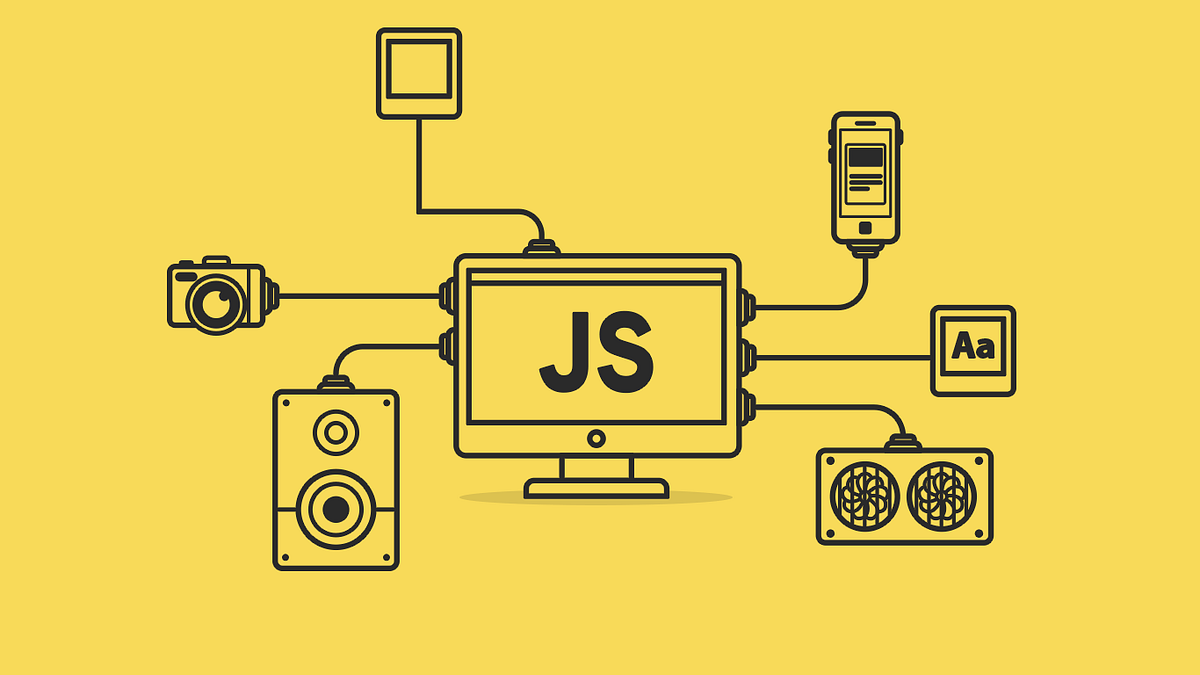
JavaScript makes web pages dynamic. Without JavaScript, web pages are static documents—content displays, links navigate, but nothing happens until user clicks. With JavaScript, pages respond to user actions, fetch data from servers, update content without reloading, and provide rich interactive experiences. It is the programming language of the web.

Understanding JavaScript, The Language of Interactivity

https://eatsappweb.com/understanding-javascript/

Despite name, JavaScript has little relation to Java. Created in 10 days by Brendan Eich at Netscape in 1995, it was designed to be accessible to non-programmers while enabling simple interactivity. It has since evolved into powerful, versatile language running everywhere from browsers to servers to robots.

JavaScript runs in browser, embedded in HTML via <script> tags or external files. Browser provides environment with access to Document Object Model (DOM)—programmatic representation of page structure. JavaScript manipulates DOM to change content, styles, and behavior dynamically. This capability enables everything from form validation to single-page applications.

Basic syntax resembles other C-style languages. Variables declared with letconst, or legacy var. Data types include numbers, strings, booleans, objects, arrays, and more. Functions defined with function keyword or arrow syntax (=>). Control flow with if/elsefor loops, while loops. These fundamentals support complex programs.

Functions are first-class citizens. They can be assigned to variables, passed as arguments, returned from other functions. This enables powerful patterns like callbacks, where functions execute after asynchronous operations complete. Higher-order functions like mapfilterreduce transform arrays elegantly.

Objects organize related data and behavior. JavaScript objects are collections of key-value pairs, created with {} syntax. Properties accessed with dot or bracket notation. Methods are functions attached to objects. Object-oriented programming in JavaScript uses prototypes rather than classical inheritance, though ES6 classes provide syntactic sugar.

Events drive interactivity. Users click, type, scroll, submit forms—each action fires event. JavaScript listens with addEventListener, then executes code in response. Event delegation handles events efficiently by attaching single listener to parent element. Understanding event flow (capturing, targeting, bubbling) enables sophisticated interaction.

Asynchronous programming handles operations taking time: fetching data, reading files, waiting for user input. Callbacks were original approach but led to “callback hell.” Promises provide cleaner chainable syntax: fetch(url).then(response => response.json()).then(data => console.log(data)). Async/await, modern syntax, makes asynchronous code read like synchronous: let data = await fetch(url).

DOM manipulation accesses and modifies page elements. document.querySelector finds elements by CSS selectors. Element properties like textContentinnerHTML change content. classList adds/removes CSS classes. style property sets inline styles. DOM manipulation is JavaScript’s primary purpose in browsers.

Browser APIs extend JavaScript capabilities beyond language core. fetch makes HTTP requests. localStorage and sessionStorage store data locally. geolocation accesses device location. canvas enables drawing. Web Audio API creates sound. These APIs, standardized by W3C, give JavaScript superpowers.

The ecosystem is vast. npm (Node package manager) hosts over million packages. Frameworks like React, Vue, Angular structure applications. Build tools like webpack, Vite bundle code for production. Linters like ESLint enforce code quality. Formatters like Prettier ensure consistent style. Modern JavaScript development involves toolchain.

Node.js runs JavaScript outside browser, on servers. Same language powers frontend and backend, enabling full-stack JavaScript development. Express framework builds web servers. Databases accessed via drivers. Server-side rendering, API development, command-line tools all possible with Node.

ES6 (ECMAScript 2015) modernized JavaScript. Features like let/const, arrow functions, classes, modules, template literals, destructuring, spread operator made code cleaner and more powerful. Annual updates since add incremental improvements. Modern JavaScript differs significantly from 1995 version.

Debugging uses browser DevTools. Console logs provide quick feedback. Breakpoints pause execution to inspect variables. Network tab monitors requests. Sources panel shows code. Performance tab identifies bottlenecks. Mastering DevTools transforms debugging from frustration to systematic problem-solving.

Security matters. Cross-site scripting (XSS) occurs when malicious scripts injected into trusted sites. Content Security Policy mitigates. Cross-site request forgery (CSRF) tricks authenticated users into unintended actions. Same-origin policy restricts access between origins. Understanding these prevents vulnerabilities.

JavaScript’s ubiquity makes it essential skill. Web developers use it daily. Its flexibility enables diverse programming styles—functional, object-oriented, event-driven. Learning JavaScript means learning web’s native language, the tongue spoken by browsers everywhere.

Styling the Web with CSS

Styling the Web with CSS

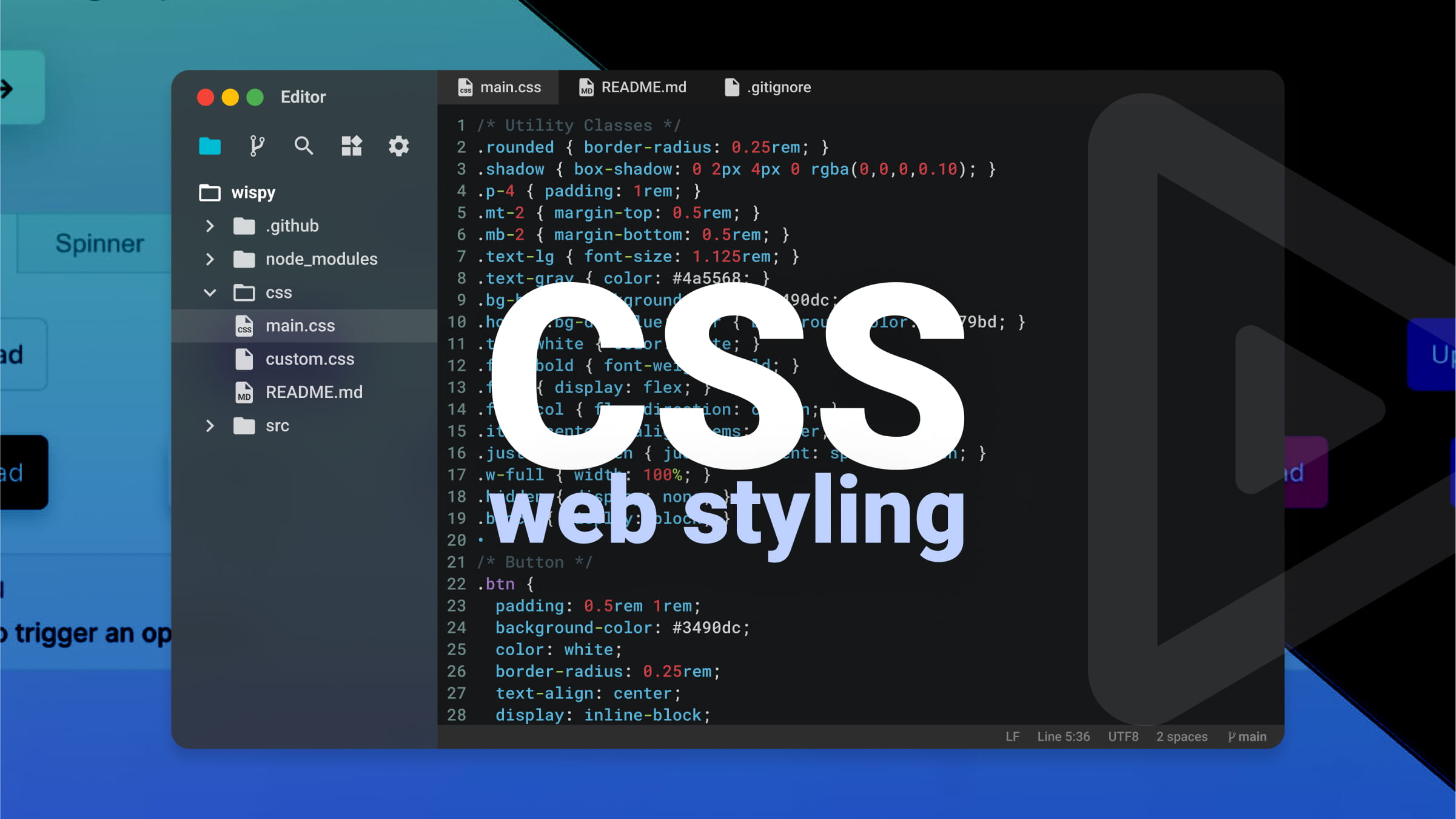
CSS, Cascading Style Sheets, transforms raw HTML into visually engaging web experiences. It controls colors, typography, layout, animations, and responsive behavior. Without CSS, web pages would be plain text documents in browser default styles. With CSS, they become designed interfaces reflecting brand identity and aesthetic intention.

Styling the Web with CSS

Styling the Web with CSS

The core concept is separation of content from presentation. HTML handles structure and meaning; CSS handles appearance. This separation enables flexibility: same HTML can be styled differently for different devices, print versions, or themes. It also makes maintenance easier—change one CSS file to update entire site’s appearance.

CSS syntax is straightforward. Selectors target HTML elements: p selects all paragraphs, .class selects elements with specific class, #id selects element with specific ID. Declarations inside curly braces specify properties and values: color: blue; makes text blue, font-size: 16px; sets text size. Multiple declarations style elements comprehensively.

The cascade determines which styles apply when multiple rules target same element. Rules can come from multiple stylesheets, browser defaults, or inline styles. Cascade considers importance, specificity, and source order. Understanding cascade prevents frustration when styles don’t apply as expected.

Specificity calculates which selector “wins” when conflicts arise. Inline styles have highest specificity, followed by IDs, classes/attributes, and element types. More specific selectors override less specific ones. When specificity equal, later rules override earlier. This system enables precise control while maintaining flexibility.

The box model underlies CSS layout. Every element is rectangular box with content, padding (space around content), border, and margin (space outside border). Understanding box model is essential for controlling spacing and layout. box-sizing: border-box simplifies by including padding and border in element’s total width.

Layout techniques have evolved dramatically. Early web used tables for layout. Then floats enabled text wrapping around images but were hacked for layouts. Flexbox, introduced for one-dimensional layouts, makes distributing space along rows or columns intuitive. Grid, for two-dimensional layouts, provides unprecedented control over rows and columns simultaneously.

Responsive design adapts layouts to different screen sizes. Media queries apply different styles based on viewport width, device orientation, or other characteristics. Mobile-first design starts with small screen styles, then adds complexity for larger screens using min-width media queries. This approach ensures usability across devices.

Typography on web involves more than choosing fonts. font-family specifies typefaces, with fallbacks for when preferred fonts unavailable. font-size controls size; rem units relative to root element enable consistent scaling. line-height affects readability. letter-spacing and word-spacing refine appearance. Web fonts allow custom typefaces via @font-face.

Color brings designs to life. Named colors, hexadecimal (#ff0000), RGB (rgb(255,0,0)), HSL (hsl(0,100%,50%)), and modern notations offer flexibility. Opacity adds transparency. Gradients create smooth transitions. Color choice affects accessibility; sufficient contrast between text and background essential for readability.

Animations and transitions add polish. Transitions smoothly change property values over time when triggered by hover, focus, or other state changes. Keyframe animations define complex sequences. Used judiciously, motion enhances user experience; excessive animation distracts and annoys.

Preprocessors like Sass and Less extend CSS with variables, nesting, mixins, and functions. They compile to standard CSS but make authoring more efficient and maintainable. Post-processors like Autoprefixer automatically add vendor prefixes for broader browser support. Modern tooling enhances CSS workflow.

CSS frameworks provide pre-written components and utilities. Bootstrap, Tailwind, Foundation accelerate development with consistent, tested patterns. Tailwind’s utility-first approach differs from traditional component frameworks, offering different tradeoffs. Frameworks speed development but can limit creativity if over-relied upon.

Browser Developer Tools inspect and debug CSS. Elements panel shows applied styles, box model dimensions, and which rules override others. Changes can be tested live before committing to code. Mastering DevTools is essential for efficient CSS development.

CSS continues evolving. Container queries finally allow elements to respond to their parent container size, not just viewport. Cascade layers give finer control over specificity. Subgrid simplifies complex grid layouts. Modern CSS grows more powerful while maintaining backward compatibility.

Learning CSS means understanding selectors, cascade, box model, layout, and responsive principles. It means thinking visually and systematically. CSS can frustrate beginners, but mastery rewards with ability to bring designs to life exactly as imagined.

HTML, The Foundation of the Web

HTML, The Foundation of the Web

HTML, or HyperText Markup Language, is the fundamental building block of the World Wide Web. Every website you visit, from simple blogs to complex web applications, ultimately renders as HTML in your browser. Understanding HTML is the essential first step for anyone learning web development.

HTML, The Foundation of the Web

HTML, The Foundation of the Web

HTML is not a programming language but a markup language. It uses tags to structure content, indicating what elements are headings, paragraphs, links, images, and more. This structure allows browsers to display content appropriately and enables assistive technologies like screen readers to interpret pages for users with disabilities.

The basic syntax is simple: elements are enclosed in angle brackets. Most elements have opening and closing tags with content between them: <p>This is a paragraph.</p>. Some elements, called void elements, are self-closing: <img src="image.jpg" alt="Description">. Attributes within opening tags provide additional information about elements.

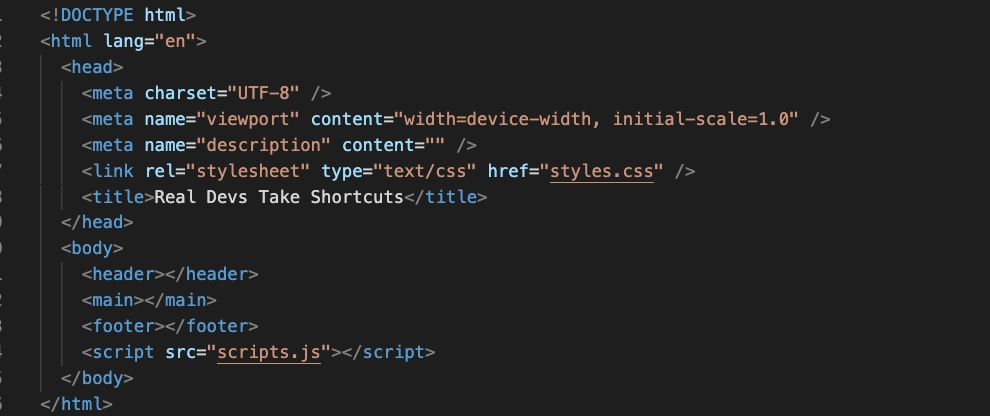
HTML documents follow a standard structure. The <!DOCTYPE html> declaration tells browsers which HTML version to expect. The <html> element wraps entire document. <head> contains metadata—page title, character encoding, links to stylesheets—not displayed on page. <body> contains visible content. This basic structure underlies every web page.

Semantic HTML uses elements that convey meaning about their content. <header><nav><main><article><section><aside><footer> describe page regions. <h1> through <h6> indicate heading hierarchy. <ul> and <ol> create lists. Semantic markup improves accessibility, search engine optimization, and code maintainability.

Links connect the web. The <a> element with href attribute creates hyperlinks, enabling navigation between pages. This simple capability—clicking text or image to access related content—is what makes the web “web-like.” Without links, web would be collection of isolated documents.

Images enhance visual communication. <img> embeds images; src specifies source, alt provides text description for accessibility when images cannot load or users cannot see them. Modern HTML also includes <picture> for responsive images, allowing different image versions for different screen sizes.

Forms collect user input. <form> wraps input elements: <input> for text, passwords, checkboxes, radio buttons; <textarea> for multiline text; <select> for dropdowns; <button> for submission. Forms enable search, login, registration, comments, purchases—virtually all user interaction with websites.

Tables organize data. <table> with <thead><tbody><tr> (rows), <th> (headers), <td> (cells) present tabular information. While tables were once used for page layout (bad practice), they should only display tabular data. CSS handles layout.

Multimedia elements enrich experience. <video> and <audio> embed media with controls for playback. <iframe> embeds other web pages, enabling integration of YouTube videos, maps, and external content. These elements make web pages dynamic and engaging.

HTML5, the current major version, introduced semantic elements, native audio/video, canvas for drawing, and improved form controls. It also added APIs for offline applications, drag-and-drop, and browser history manipulation. HTML5 transformed web from document platform to application platform.

Accessibility is built into HTML. Using semantic elements, providing alt text for images, labeling form inputs with <label>, and structuring content with proper heading hierarchy ensures people using assistive technologies can navigate and understand content. Accessible HTML is better HTML for everyone.

Validation ensures code quality. The W3C validator checks HTML against standards, identifying errors and potential issues. Valid HTML is more likely to render consistently across browsers and devices. While perfect validation isn’t always necessary, understanding and fixing errors improves reliability.

HTML works with CSS and JavaScript. CSS styles HTML elements—colors, layout, typography. JavaScript adds interactivity—responding to user actions, manipulating content dynamically. HTML provides structure; CSS provides presentation; JavaScript provides behavior. These three technologies together create modern web experiences.

Learning HTML means understanding elements, attributes, nesting, and document structure. It means thinking about content meaning, not just appearance. It means building foundation upon which everything else depends. HTML is simple enough to learn quickly yet deep enough to reward continued study.

Every web developer, regardless of specialty, must understand HTML. It is the common language of the web, the medium through which content reaches users. Mastering HTML means mastering the web’s fundamental building block.